I’ve been a long-time user of both Magit and git-toolbelt, a suite of useful git helper commands by Vincent Driessen (@nvie). Often times I find myself reaching for several commands constantly in my day-to-day workflow - things like cleaning up merged branches, listing recent branches, checking which local commits haven’t been pushed yet, and more. My two favorite ones are git cleanup and git delouse. I won’t go into details of what these do, but check it out for yourself to learn how it can fit in your own git workflow! These tools were extremely helpful in simplifying my own personal workflow and allowed me to get back actually writing code instead of doing git surgery – and sometimes unsuccessfully! The only friction was that I’d have to jump out of Magit and into a shell to run these commands…so I wrote a package to fix that!
magit-git-toolbelt is an Emacs package that integrates git-toolbelt commands directly into Magit through a Transient menu interface. If you’re already comfortable in Magit’s workflow, this should feel right at home.
What it does Link to heading
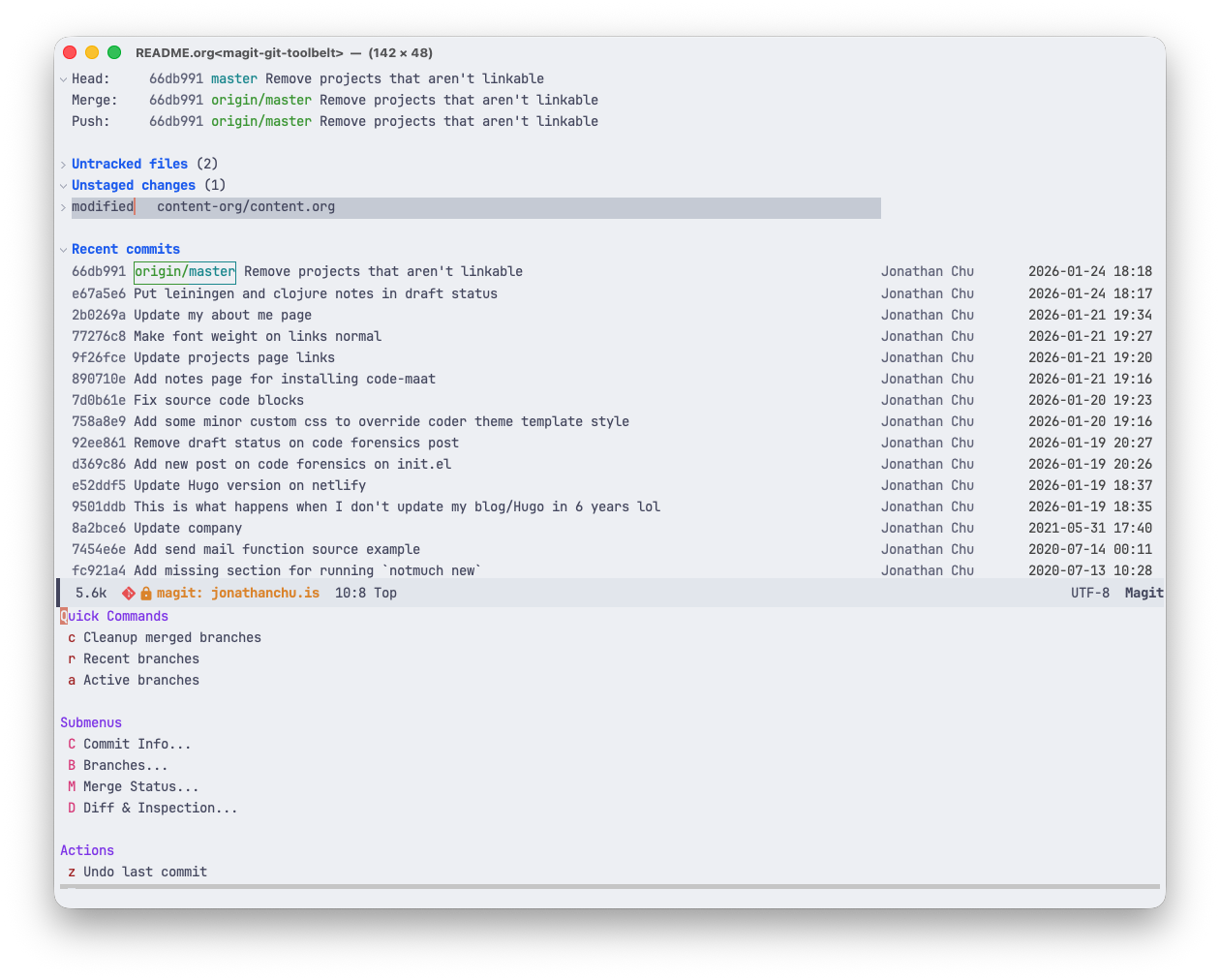
The package provides a Transient menu that organizes some select git-toolbelt commands into logical groups:
- Commit Info - Display the initial commit, current branch SHA, and local (unpushed) commits
- Branch Management - Cleanup merged branches, list recent/local/remote branches
- Merge Status - Check which branches have been merged or remain unmerged
- Diff & Inspection - Show modified and untracked files
- Actions - Undo and quickly reverse the last commit
Screenshot Link to heading
Installation Link to heading
You’ll need git-toolbelt installed first, then you can install magit-git-toolbelt from MELPA:
M-x package-install RET magit-git-toolbelt RET
Or with use-package:
(use-package magit-git-toolbelt
  :ensure t
  :after magit)
Usage Link to heading
From any Magit status buffer, press \ to bring up the git-toolbelt Transient menu. You can also invoke it directly with M-x magit-git-toolbelt. From there, you get a submenu of all the available commands organized by category.
If you prefer a different keybinding instead of \, you can customize it before the package loads:
(use-package magit-git-toolbelt
  :ensure t
  :after magit
  :init
  (setq magit-git-toolbelt-key ".")) ; Example setting key to ".o" instead of the default "\"
Why Link to heading
The motivation for writing this wrapper package is simple - I wanted to stay in Magit. Every time I wanted to run a git-toolbelt helper command, I would have to break out of my Magit workflow and drop into eshell or terminal to run git cleanup, as an example of one of my favorite git-toolbelt helpers. It was a small context switch and minor inconvenience that added up over the course of a day, but now those commands are just a keypress away from the Magit status buffer.
I actually enjoyed writing this package – it was good to get back into a fully functional language and get my brain working a bit more than usual. Fun fact - git spinoff was directly inspired from Magit! My next goal for this package is to take better inventory of the tools in git toolbelt and analyze what functionality is already covered in Magit’s extensive featureset, and see what git helper commands I could expose in magit-git-toolbelt that truly offers novel functionality to Magit users.
If you use both Magit and git-toolbelt, give it a try and let me know what you think! The source is on GitHub and it’s available on MELPA.